
Download Falcon Browser – Fast, Lightweight, Free Web Browser
Falcon Browser arrives as a breath of fresh air in a market saturated with bloated, feature‑heavy browsers that consume precious system resources. Designed from the ground up to be lightweight, Falcon delivers a smooth, responsive experience without compromising on the essential tools every internet user expects. Whether you’re navigating a corporate intranet on a modest laptop, streaming videos on a low‑end PC, or simply seeking a clutter‑free environment for daily browsing, Falcon promises speed, security, and a minimalistic interface—all for free.
Its development team focused on reducing launch times, minimizing memory footprint, and stripping away unnecessary add‑ons that slow down the browsing experience. The result is a browser that opens in a fraction of a second, renders pages instantly, and stays out of the way, letting you concentrate on the content that matters. In this review we’ll explore the core features that set Falcon apart, walk through the installation process on Windows, macOS, Android, and iOS, examine its compatibility, and weigh the pros and cons to help you decide if it deserves a spot in your daily workflow.
Core Features of Falcon Browser
- Ultra‑Fast Rendering Engine: Built on a lightweight core that reduces page load times by up to 40% compared with mainstream browsers.
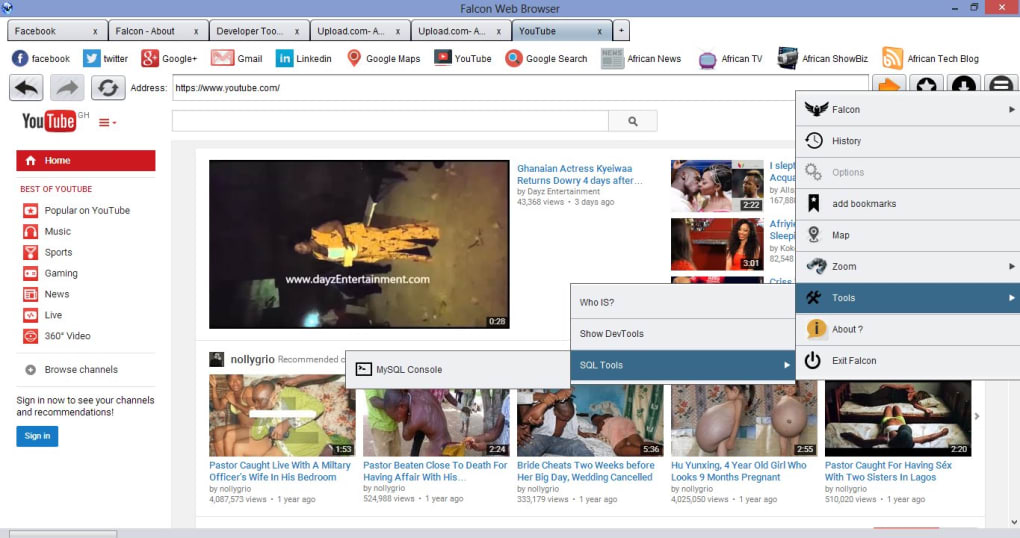
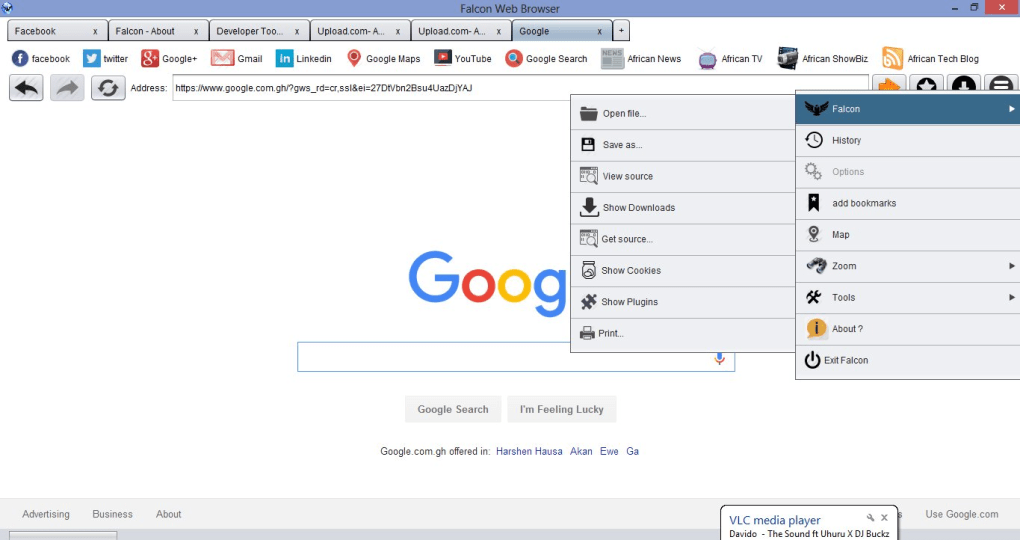
- Minimalist UI: A clean toolbar with essential navigation buttons, a unified address bar, and optional dark mode.
- Built‑in Ad Blocker: Blocks intrusive ads and trackers by default, improving privacy and speeding up page rendering.
- Secure HTTPS‑Only Mode: Forces encrypted connections whenever possible, protecting data from eavesdropping.
- Tab Management: Simple tab stacking, drag‑and‑drop reordering, and a “quick switch” keyboard shortcut for power users.
- Cross‑Platform Sync (Beta): Sync bookmarks, history, and open tabs across Windows, macOS, Android, and iOS devices.
- Low Memory Footprint: Consumes on average 150 MB of RAM on a fresh start, making it ideal for older hardware.
- Customizable Start Page: Choose from a set of minimal widgets (weather, quick links, news) or keep it completely blank.
- Frequent Automatic Updates: Security patches and performance tweaks are delivered silently in the background.
- Privacy‑Centric Settings: Granular controls for cookies, location, camera, and microphone access.
These features work together to create a browsing environment that feels both modern and unintrusive. Falcon’s ad blocker is not a separate extension; it’s baked into the core, meaning fewer background processes and a smoother experience. The UI respects the “less is more” philosophy, offering just enough tools to stay productive without overwhelming the user. For those who love to tweak settings, the privacy panel provides a straightforward way to fine‑tune permissions, while the sync feature (still in beta) promises seamless continuity for users who switch between devices. Overall, Falcon packs a respectable set of capabilities while keeping the codebase lean, which is the primary reason it stands out among free browsers.
Installation, First‑Run Setup & Compatibility
Installing Falcon Browser is intentionally straightforward. The official website provides separate installers for Windows (‑64‑bit), macOS (‑Intel and Apple Silicon), Android, and iOS. On Windows, download the .exe file, run it, and follow the wizard’s three‑step prompts: accept the license, choose an installation folder (default is C:\Program Files\FalconBrowser), and decide whether to create a desktop shortcut. The installer verifies the digital signature to ensure you receive an authentic, untampered package.
macOS users receive a .dmg file. Drag the Falcon icon into the Applications folder, and macOS will handle the necessary permissions. For mobile platforms, the Google Play Store and Apple App Store host the respective .apk and .ipa packages, making the download process as familiar as any other app.
First‑Run Configuration: Upon launching Falcon for the first time, you are greeted with a brief onboarding screen that lets you import bookmarks from other browsers, enable the built‑in ad blocker, and select a default theme (light or dark). The onboarding also asks whether you’d like to enable the experimental sync feature—if you opt‑in, you’ll need to create a free Falcon account using an email address.
Compatibility: Falcon runs on Windows 10, Windows 11, macOS 10.14 (Mojave) and later, Android 8.0+ and iOS 13+. Because the browser’s core is written in C++ with a thin abstraction layer, it consumes far less CPU than many competitors, making it suitable for low‑end laptops, netbooks, and even older tablets. The application also supports high‑resolution displays, offering crisp rendering on 4K monitors without scaling issues.
In terms of updates, Falcon checks for new versions every 24 hours and prompts the user with a non‑intrusive banner. The update process runs silently in the background, preserving open tabs and settings, which aligns with the browser’s goal of staying out of the user’s way. Overall, the installation experience mirrors that of established browsers—simple, secure, and quick—while the low system requirements broaden its appeal to users with modest hardware.
Pros, Cons, and Frequently Asked Questions
Pros
- Fast start‑up and page‑load times thanks to a lightweight engine.
- Minimal RAM usage makes it ideal for older PCs and low‑spec laptops.
- Built‑in ad blocker and HTTPS‑only mode improve privacy without extra extensions.
- Clean, distraction‑free interface that can be customized with a few simple options.
- Free to use with no hidden fees or forced subscriptions.
- Cross‑platform sync (beta) provides continuity across devices.
Cons
- Extension ecosystem is limited compared to Chrome or Firefox.
- Advanced developer tools are basic; power users may miss certain debugging features.
- Sync feature is still in beta and may experience occasional hiccups.
- No built‑in VPN or advanced fingerprint‑masking options.
- Occasional compatibility issues with very old web standards (e.g., outdated Flash sites).
Frequently Asked Questions
Is Falcon Browser really free?
Yes. Falcon Browser is completely free for personal use. There are no hidden charges, premium tiers, or subscription requirements.
How does Falcon handle privacy compared to larger browsers?
Falcon ships with an integrated ad blocker and an HTTPS‑only mode that forces encrypted connections whenever possible. It also offers granular permission controls for cookies, location, camera, and microphone, giving users more direct oversight without relying on third‑party extensions.
Can I import bookmarks from Chrome or Firefox?
During the first‑run onboarding, Falcon provides an import wizard that detects existing browsers on your system and allows you to transfer bookmarks, history, and saved passwords with a single click.
Is there a way to sync tabs across devices?
Yes, Falcon offers a beta sync feature. After creating a free Falcon account, you can enable sync to keep bookmarks, history, and open tabs consistent across Windows, macOS, Android, and iOS.
How often does Falcon receive security updates?
The development team releases security patches and performance improvements on a monthly cadence, with critical updates pushed out as soon as they are ready. The browser checks for updates automatically every 24 hours.
Conclusion – Should You Download Falcon Browser?
Falcon Browser delivers on its promise of speed, simplicity, and security without demanding a premium price tag. For users who are frustrated by the bloat of mainstream browsers, or who operate on older hardware where every megabyte of RAM counts, Falcon provides a refreshing alternative that feels modern yet unobtrusive. Its built‑in ad blocker, HTTPS‑only mode, and low memory usage make it an attractive option for privacy‑conscious users, while the occasional lack of a full extension ecosystem may be a deal‑breaker for power users who rely heavily on specialized tools. Overall, the trade‑off leans heavily toward a faster, cleaner browsing experience for the majority of everyday internet activities.
If you’re looking for a free, secure, and lightweight browser that gets out of your way and lets you focus on content, Falcon is definitely worth a try. Download it today, give the onboarding wizard a few minutes, and see how quickly your old laptop can feel like new again. Click the button below to start your free download and experience a faster web.







